
See what changed,
at a glance.
A revised document. A small image change. An updated folder. Compare them on your Mac, and see the differences in context.
macOS 14+ · Apple Silicon / Intel
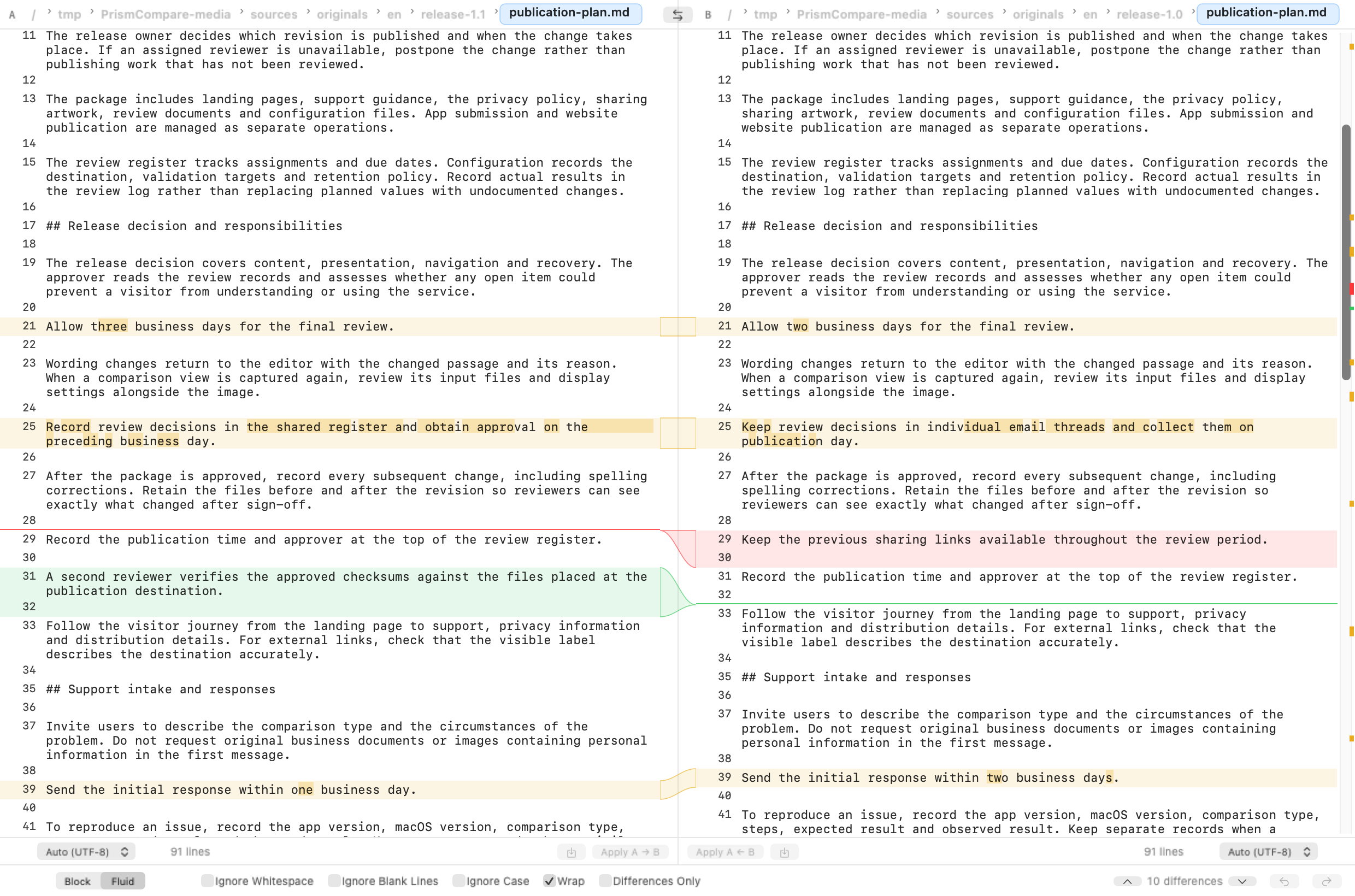
Different line counts.
A clear connection.
Read a revision in context. Fluid view connects corresponding sections, so you can follow additions, removals and edits without matching line numbers yourself.
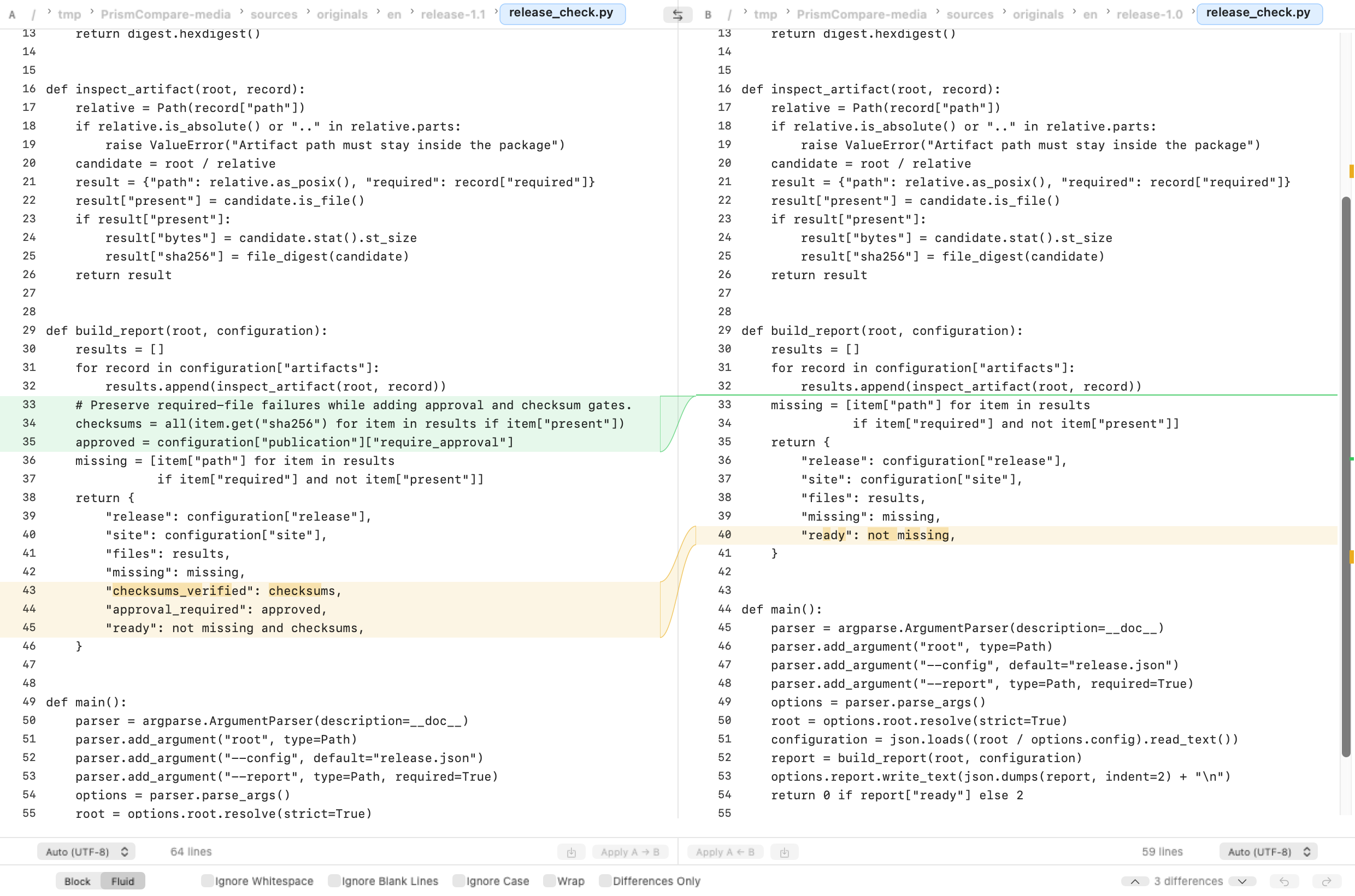
Read the whole change
Review additions, removals and changes alongside the surrounding text.
Apply what you choose
Transfer selected text changes to the other side. Undo and redo before saving.
Keep reviewing
Navigate differences with the keyboard, ignore whitespace, or open another comparison in a tab.
Small differences.
Clear in context.
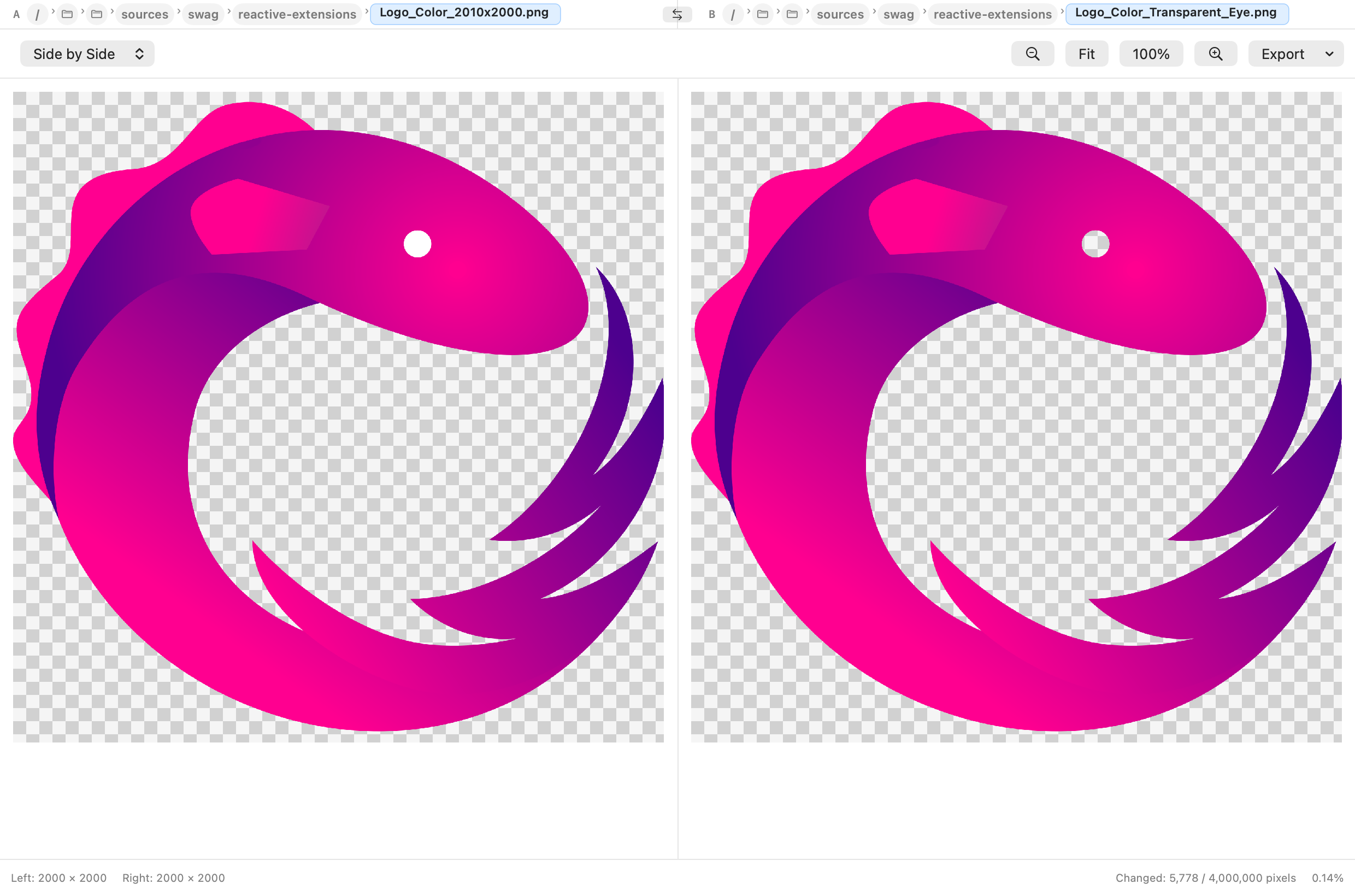
Compare artwork side by side, then inspect the same area in the difference view. Here, one eye is opaque and the other is transparent.
Side by side · Overlay · Wipe · Blink · Difference
Zoom and scroll in sync.
 Enlarge screenshot ↗
 Enlarge screenshot ↗
 Enlarge screenshot ↗
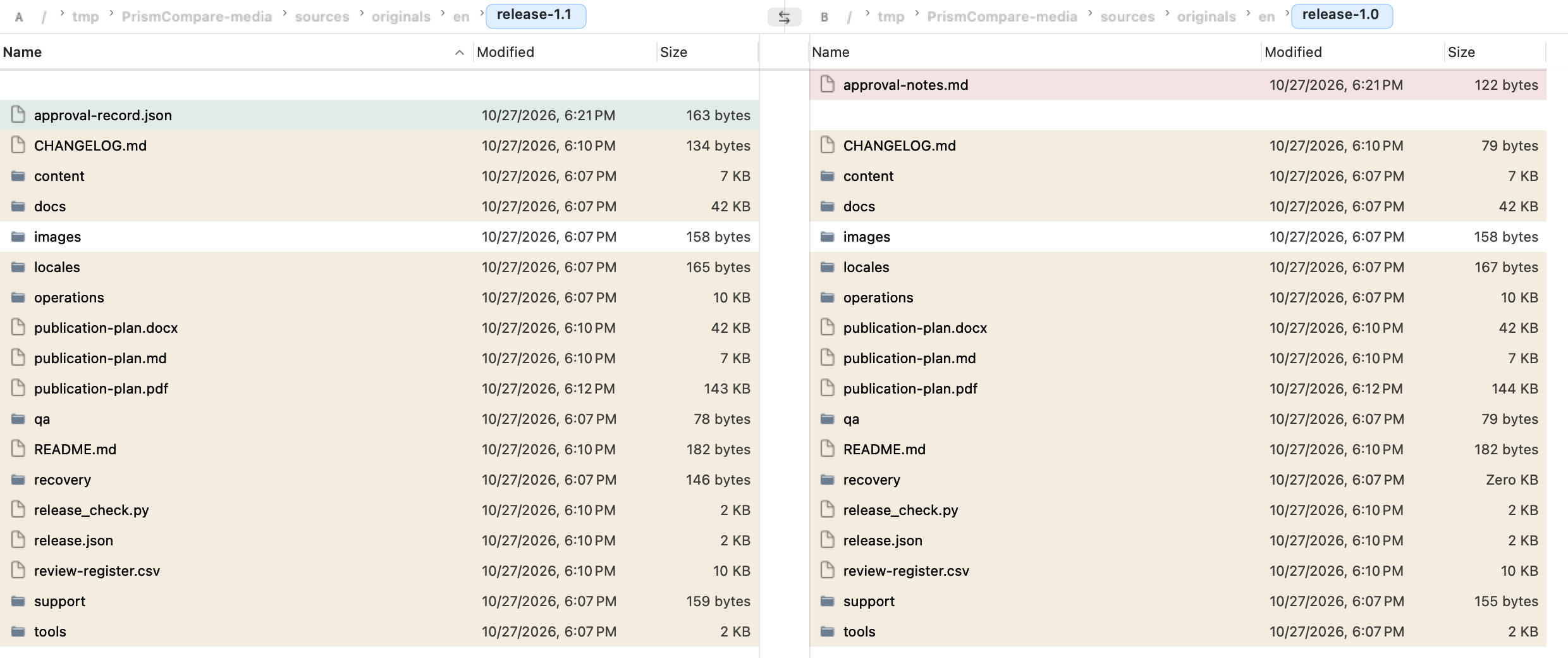
A folder update,
in one clear view.
Changed files, unchanged files and items found on only one side line up on matching rows. Changes inside subfolders are reflected in the list.
- Filter the list to focus your review.
- Queue copies or deletions, then confirm before execution.
- Overwritten and deleted originals are backed up.
PDF appearance and extractable text, simplified Word previews, and CSV/JSON as text.
Compare from your usual apps.
Use Prism Compare for comparisons from ForkLift and other apps that call Kaleidoscope’s ksdiff CLI. Kaleidoscope itself is not required.
Set up CLI integrationYour files.
Compared on your Mac.
Comparison runs on your device. File contents, names, paths and comparison results are not sent to the developer’s servers.
Is it really free?
How do PDF and Word comparisons work?
Does comparing a file change the original?
Which Macs are supported?

Prism Compare
A clearer way to compare your files.