
Write with your reference in view.
Keep notes or a reference document visible while you write. Check a detail without repeatedly hunting for the window behind your work.
A SMALL PIN. A BETTER WORKSPACE.
Your reference stays visible.
Your attention stays with the task.
A small Mac utility that keeps your selected
window on top while you work.
Mac App Store release in preparationFree · No ads · No accountmacOS 15.2+ · Apple silicon

LESS WINDOW HUNTING. MORE DOING.
The window you work in. The window you refer to.
ONeTOP helps keep the two
together.
Keep notes or a reference document visible while you write. Check a detail without repeatedly hunting for the window behind your work.
Pin instructions or a checklist. Keep the next step in sight while you work in another app.
When there is no room for side-by-side windows, adjust the pinned window's opacity to see the work underneath.
YOUR PIN. YOUR WAY.
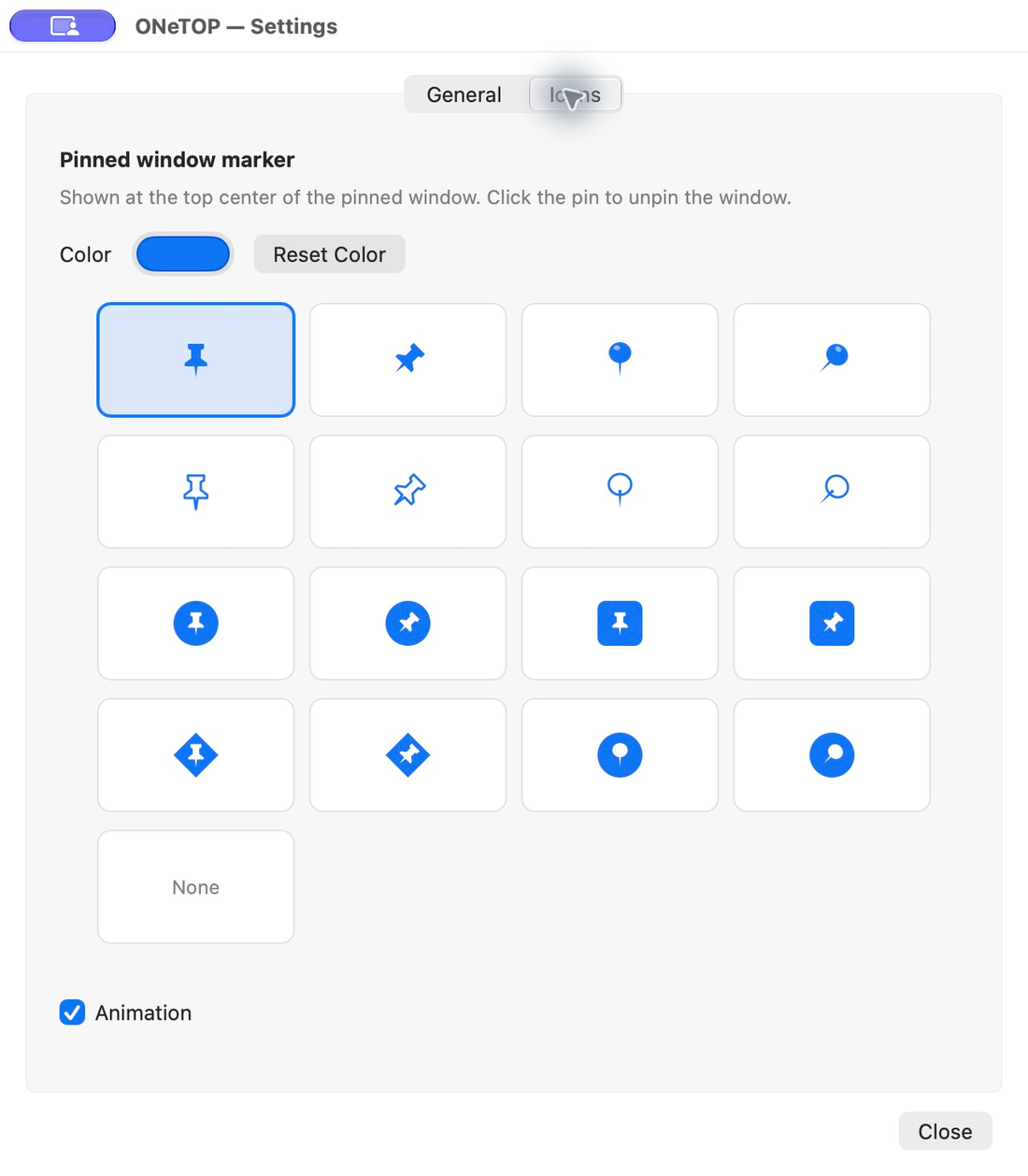
Choose from 16 pin shapes and pick a color that feels at home on your screen. Click the pin above the window to unpin it.
ON YOUR MAC. ONLY.
Get started without creating an account. Your screen content is never saved or uploaded.
Read our privacy policyStart with the setup guide and system requirements.